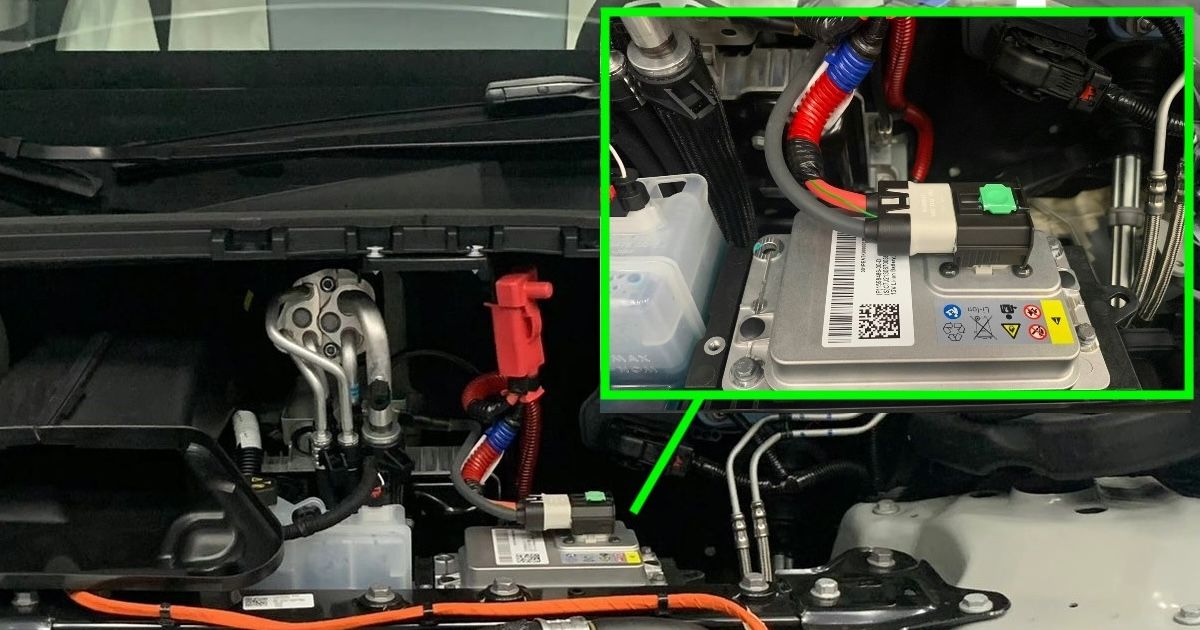
A Tesla uses a high-voltage battery to move the car and a separate low-voltage system to run its computers, locks, lights, controls, and safety electronics. Depending on the model and build date, that low-voltage battery may be a 12-volt lead-acid unit or a lithium-ion unit commonly described as 16 volt.
That smaller battery can keep the car from waking up even when the high-voltage pack has plenty of charge. A dead screen or a car that will not unlock does not prove that the low-voltage battery failed, though. Wiring, a power-conversion fault, or another control-system problem can produce similar symptoms.
What the Low-Voltage System Does
The low-voltage system powers the electronic controls that allow the rest of the vehicle to operate. It also supports the contactors that connect the high-voltage pack when the car needs it. If low-voltage power is unavailable, the car may be unable to unlock, boot the touchscreen, shift into drive, or begin charging.
The high-voltage pack normally recharges the low-voltage battery as needed. Tesla also monitors the low-voltage system. For example, alert VCFRONTa182 means the battery is showing degraded performance and should be replaced. Tesla states that software updates will not complete until that condition is corrected.
Warning Signs to Take Seriously
Schedule service promptly if the car displays a message to replace the low-voltage battery or warns that the electrical system cannot support vehicle features. Do not assume that a cluster of unrelated alerts means the high-voltage pack has failed. Unstable low-voltage power can cause several controllers to report faults at the same time.
If the vehicle still drives, save the exact alert codes and wording. Screenshots from the car or Tesla app are more useful than a summary such as "every warning came on."
If the car is unresponsive:
- Follow the jump-start or external-power procedure in the owner's manual for the exact model and model year. Access points differ between vehicles.
- Do not open, probe, or disconnect orange high-voltage components.
- If the vehicle does not wake after the documented procedure, contact roadside assistance or a qualified EV technician.
Accessories and Software Updates
Hard-wired accessories can create problems when they are installed incorrectly or draw power outside the vehicle's intended accessory circuits. Tesla advises against unapproved accessories that interfere with vehicle electronics. A normal device left in a factory low-voltage outlet does not automatically drain the battery; current Model 3 documentation says the outlet is managed by the vehicle.
Charging pauses while a software update installs and resumes afterward. A degraded low-voltage battery can prevent an update from completing, but that is different from saying every update disconnects the low-voltage charging system or routinely damages the battery.
How to Reduce the Chance of a No-Wake Event
Act on low-voltage warnings instead of waiting for the car to stop responding. Keep the vehicle charged according to Tesla's instructions, especially during long storage. Tesla recommends leaving the vehicle plugged in when practical because the high-voltage pack periodically supports vehicle systems and recharges the low-voltage battery.
A technician should test the battery and charging system before replacing parts when the symptoms are unclear. The goal is to distinguish a worn battery from a DC-to-DC converter, connection, or control-module fault.
References & Further Reading
External resources related to this post. We link directly — no paywalls, no affiliate links.